Every travel,
beautifully guided.
Passage AI is an AI trip planner that builds walkable day-by-day itineraries, then guides you on foot and tells you the story of each place as you arrive.

What is Passage AI?
Passage AI is an AI trip planner that builds a day-by-day itinerary you can walk, then guides you through it on foot with the story of each stop. Use it on the web at mypassage.ai or in the Passage AI travel app for iPhone. Your trips sync between the two.
- Planning: AI fills each day with real places in walking order, with breakfast, lunch and dinner at normal meal times. You can change any stop.
- Booking ahead: tap Need tickets? and Passage AI scans your whole trip for the stops that need booking ahead, each with a link to the official site to book it, or a ticket search when there isn't one.
- On the trip: each stop gets a card with its history, facts and visitor tips. Tap ▶ Listen and Passage AI reads the story aloud.
What the AI travel planner does
The Guide: a self-guided walking tour with audio
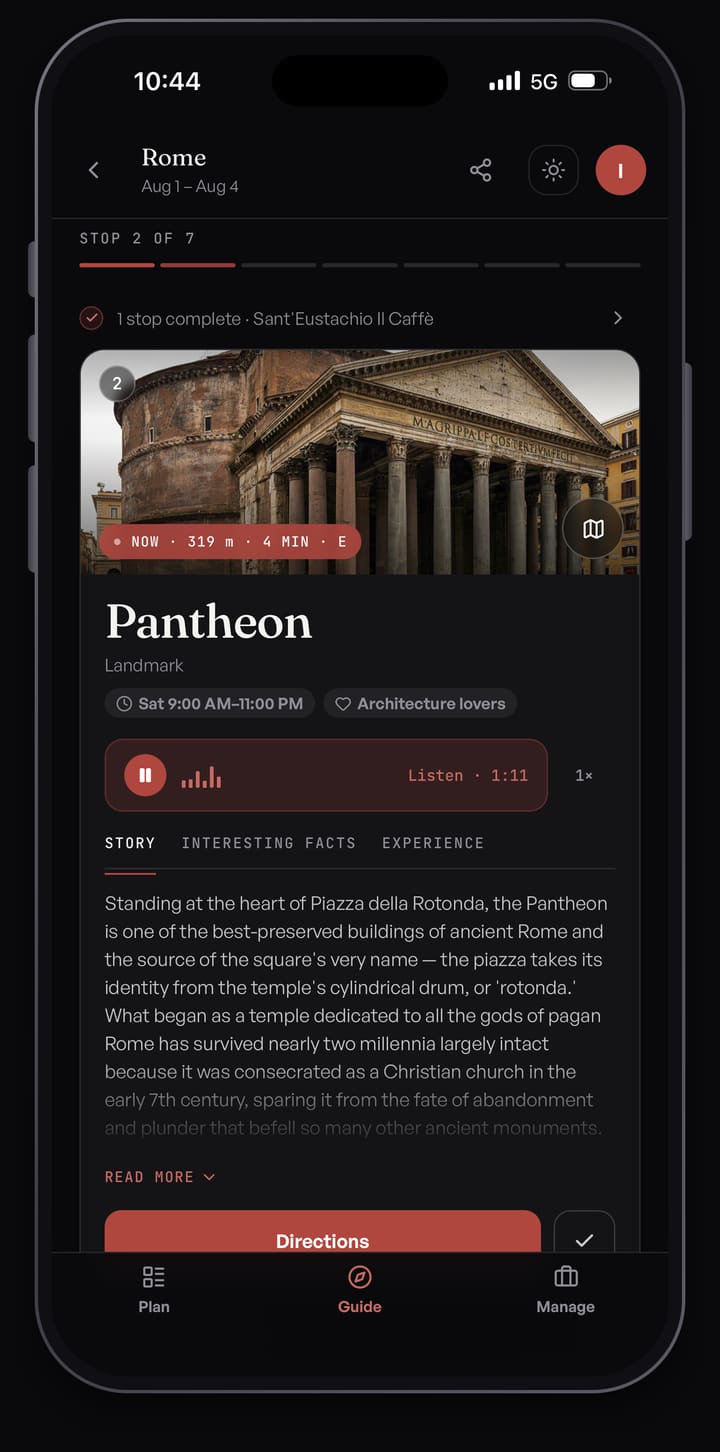
On the day, the Guide turns your plan into a deck of stop cards. Each card has a photo, the distance to the stop and three tabs: Story for the history of the place, Interesting Facts, and Experience for visitor tips. When you get within about 40 meters of a stop, a banner slides in and the arrival view opens with its story.
Tap ▶ Listen to hear the story read aloud. Nothing plays until you tap. Pick from five voices in settings and change the playback speed. Directions opens the walk in your phone's maps app. Mark the stop done and swipe to the next one.
"Need tickets?": what to book ahead
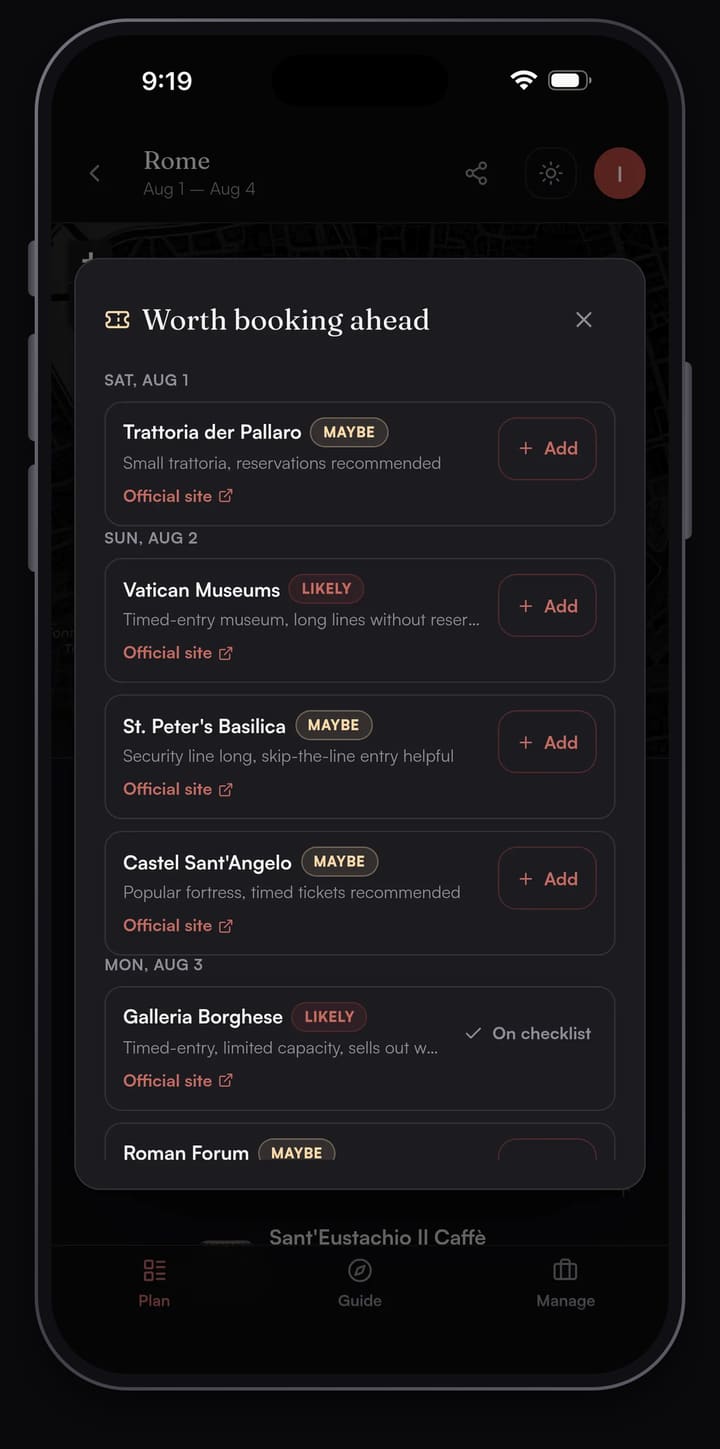
Tap Need tickets? and Passage AI scans every stop on your trip for the ones worth booking ahead: timed-entry museums, popular restaurants, shows, tours and ferries. You get up to 12, most important first.
Each one has a LIKELY or MAYBE tag, a reason in a few words such as "Popular timed-entry museum", and a link to book it. The link goes to the place's official site when Passage AI has one, or to a ticket or reservation search when it doesn't. Stops left off the list appear on one line as lower priority or walk-in friendly.
Tap Add to put the stop on your "Still to arrange" list in the Manage tab. After you book on the official site, save the confirmation number on the stop.
Live tour: landmarks around you
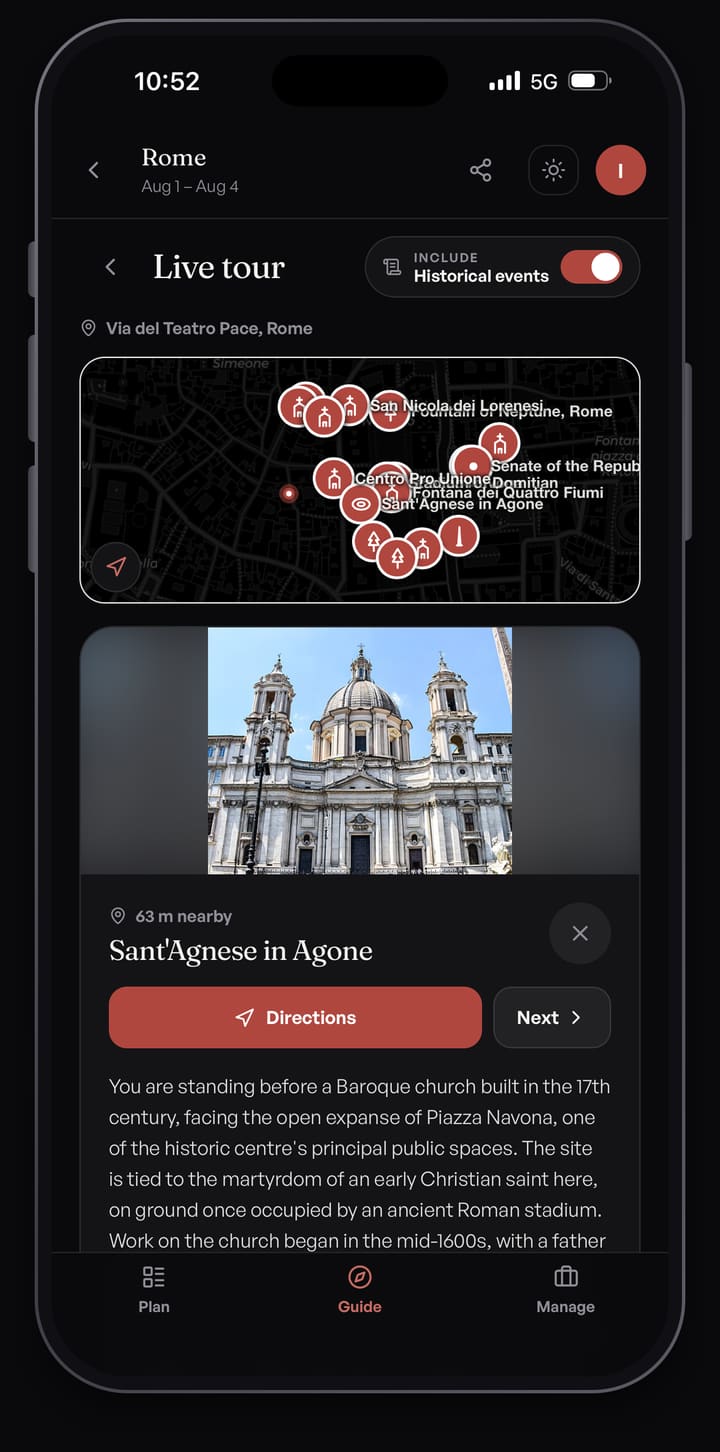
Live tour shows what you're walking past, including places you didn't plan. Turn it on from the Guide and Passage AI looks up public landmarks on Wikipedia within 300 meters of you. You get one card at a time, with What it is, Fun facts and Directions.
Live tour cards are text you read, and they need a data connection. Passage AI doesn't save your live location or add what you find to your trip.
Walking itineraries you can edit
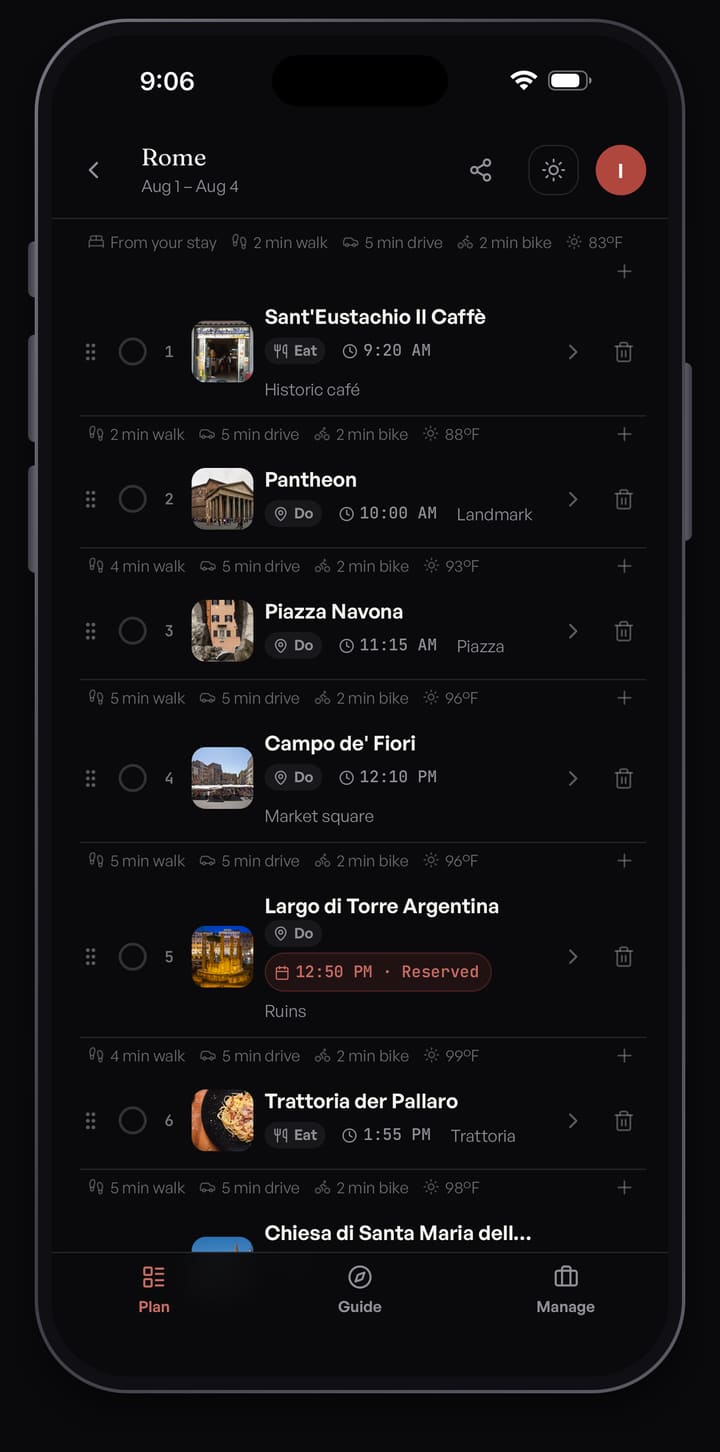
Each day shows as a map with numbered pins and as a list. Between stops you see walking, driving and biking estimates, and each day has its weather forecast. Walking times are straight-line estimates at 4.8 km/h, so the walk on real streets can take longer.
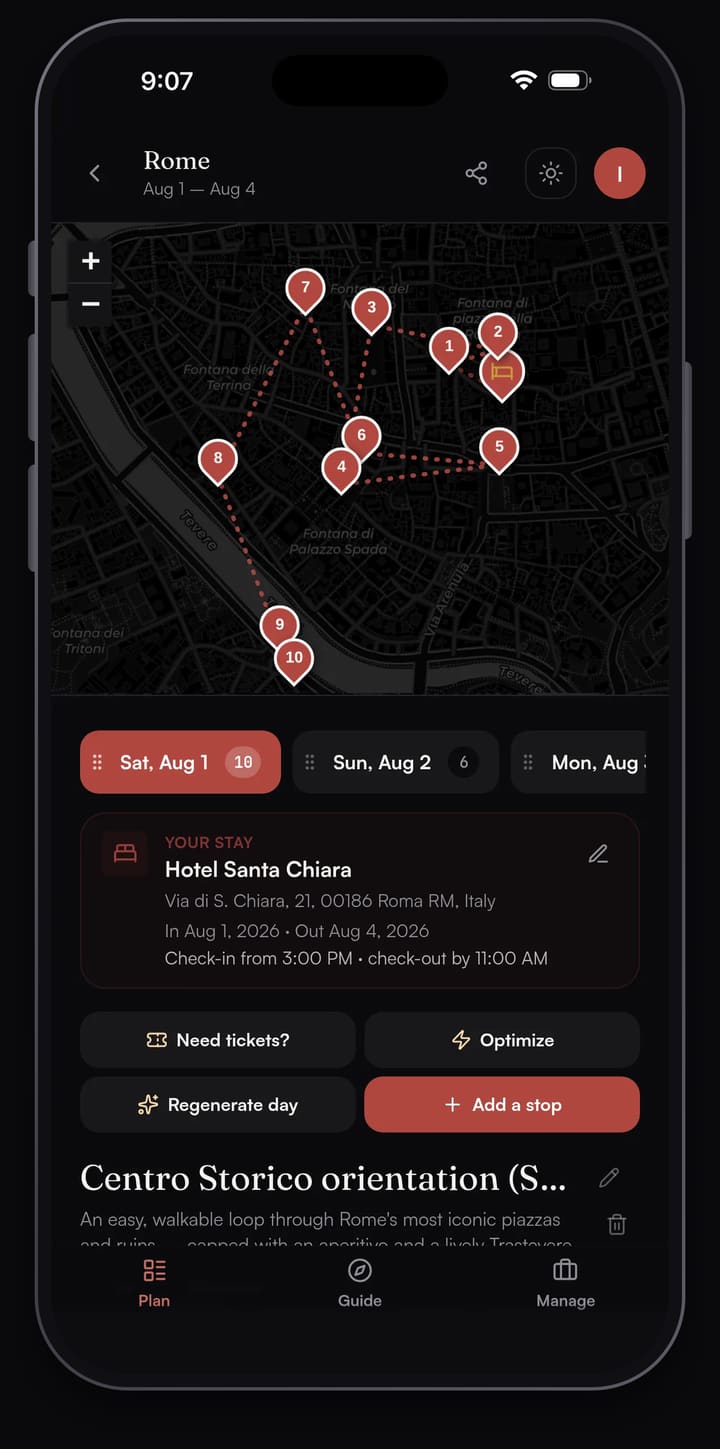
Drag stops to reorder them. To add a stop, search for a place by name, or describe what you want ("a quiet cafe near the river") and AI suggests one.
Optimize: a shorter walk for the day
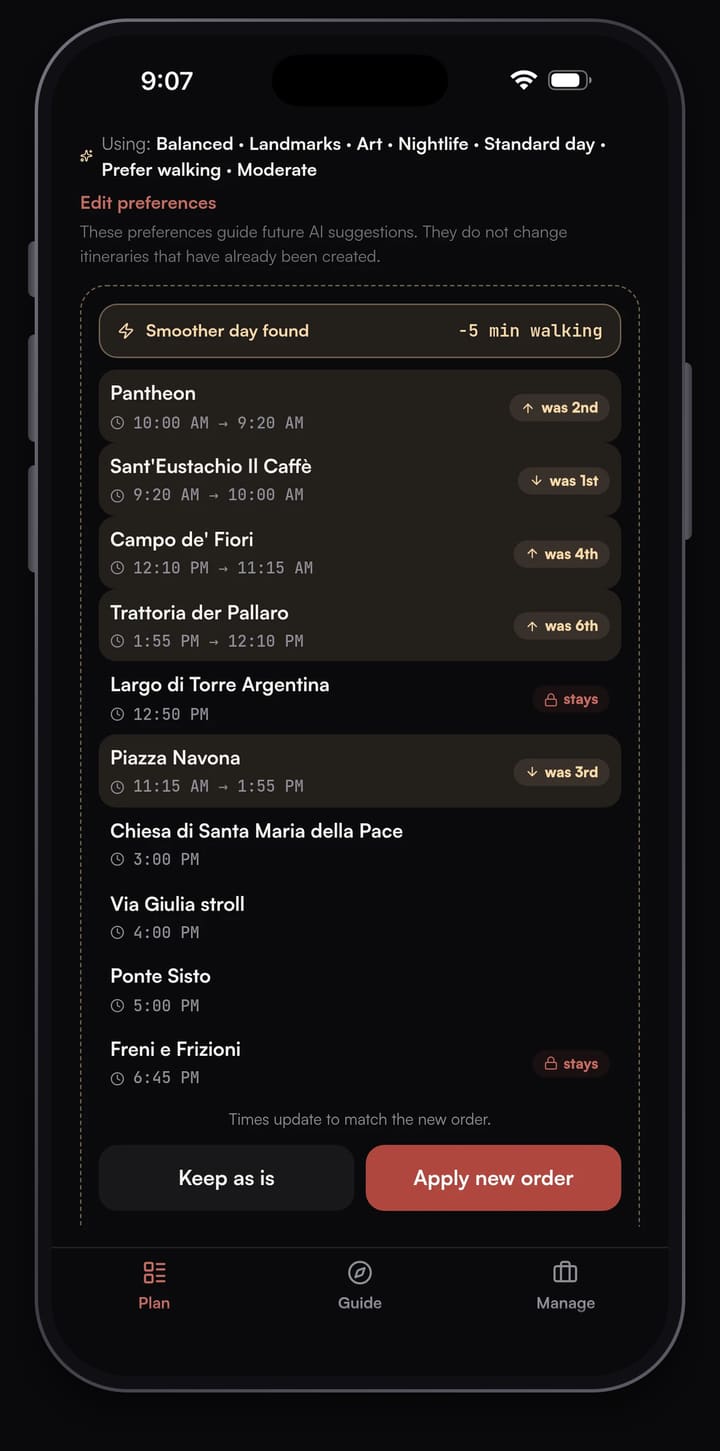
Tap Optimize and Passage AI reorders the day's stops to cut your total walking time. It keeps breakfast, lunch and dinner near their usual hours, and stops you've booked or already visited stay where they are.
You see a preview first. Each moved stop shows its old position and its new time, and the top line shows how many minutes of walking you save. Nothing changes until you tap Apply, and you can undo it right after. Optimize doesn't use AI, so you can run it as often as you like for free.
Plan a trip with friends
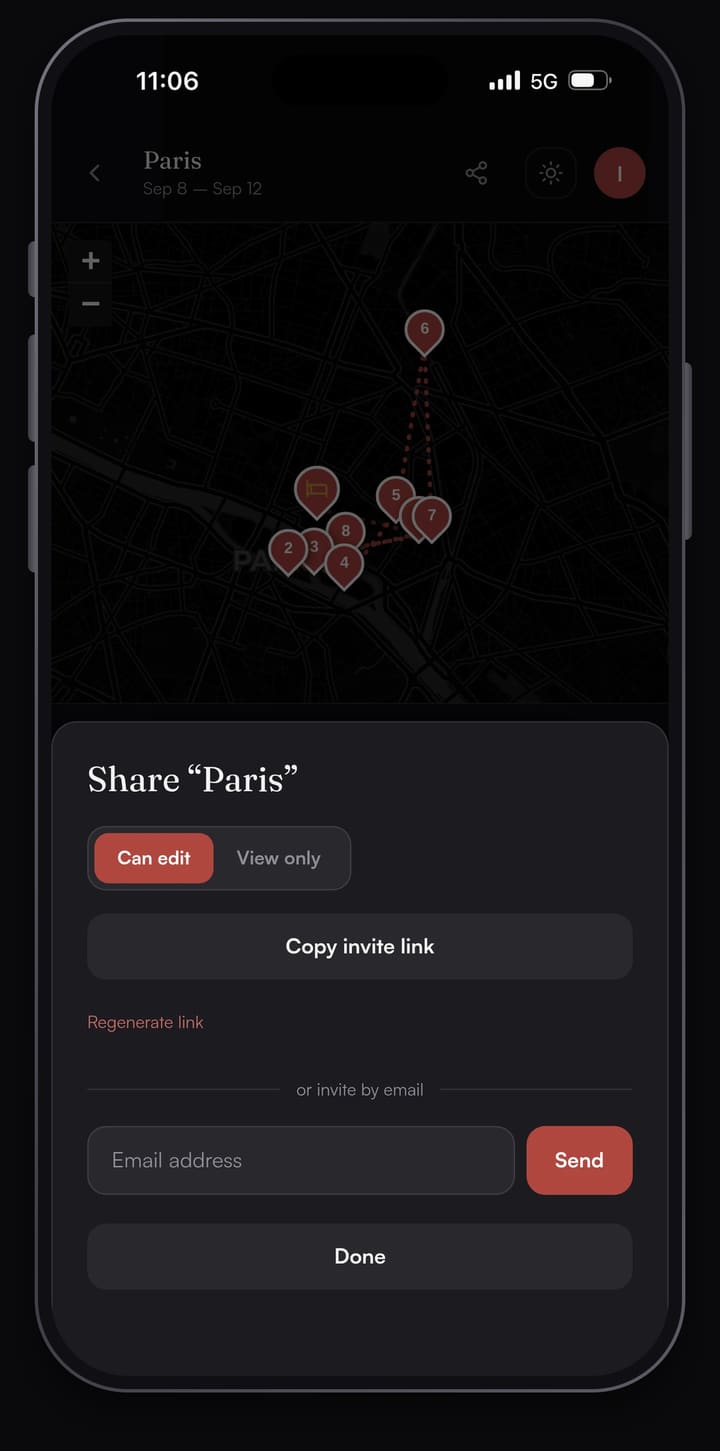
Send a link that lets people edit the trip, send a view-only link, or invite people by email. Anyone with the link can read the trip without an account, and signing up with Google or Apple adds them to it. Everyone sees edits as they happen. People with view-only access can still tick off stops in their own Guide, and only they see that progress. If a link ends up somewhere it shouldn't, turn it off and make a new one.
How to plan a day-by-day itinerary with Passage AI
- Start a trip. Type a city, pick your dates, and your trip opens on the Plan tab with one day for each date. To try it without an account, type a city in the box at the top of this page and Passage AI drafts your first full day.
- Tap "Suggest a day for me". The day fills with real places in the order you'd walk them, with breakfast, lunch and dinner at normal times. Your pace (relaxed, balanced or packed) sets how many stops you get. If you already added a few stops, the button reads "Suggest the rest of the day" and plans around them.
- Want to change something? Add or move stops yourself. Tap Add a stop and search for a place by name, or describe what you're after, like "a quiet café near the river", and tap one of the suggestions. Drag any stop up or down to change the order.
- Want a shorter walk? Tap Optimize. You get a preview of a shorter order with each stop's new time and the minutes of walking you save. Nothing changes until you tap Apply new order. Keep as is leaves the day alone.
- See what to book ahead: tap Need tickets? Passage AI checks the whole trip and lists stops worth booking ahead, such as timed-entry museums, popular restaurants and shows, each with a short reason and a link to the official site. Tap Add to put one on your Still to arrange list. Open the link to book on the venue's own site.
- Want the details? Tap any stop. Its page shows a photo, that day's opening hours, the story of the place, interesting facts and visitor tips. Add your reservation details and photos there too.
- Open the Guide tab on the day. Each stop is a card showing how far away it is. When you reach a stop, its story opens on screen. Tap Listen to hear it read aloud; nothing plays until you tap. Directions opens your phone's maps app. Tap Live tour to see landmarks around you as you walk, one card at a time, even ones that weren't on your plan.
- Tap the share icon at the top of your trip. Send a Can edit link to plan with friends, or a View only link so they can follow along. They can open it without an account.
Passage AI vs Wanderlog and other trip planners
The table compares Passage AI with five other apps you might use as an itinerary planner: Wanderlog, Layla, Mindtrip, TripIt and ChatGPT. Each cell uses only what the company says about its own product on its website or App Store page. "Not listed" means the company doesn't describe that feature there.
| Feature | Passage AI | Wanderlog | Layla | Mindtrip | TripIt | ChatGPT |
|---|---|---|---|---|---|---|
| Day plans in walking order, with meals | YesReal places, with breakfast, lunch and dinner at mealtimes | AI AssistantHelps plan and answers questions | Chat plannerPlans trips by chat | Chat plannerBuilds and tweaks plans by chat | Not listedItinerary built from your booking emails | On requestWrites an itinerary when you ask in chat |
| Optimize a day | YesOne tap reorders your stops by walking time, free | YesRoute optimizer, listed under Pro | Not listed | Not listed | Not listed | Not listed |
| Booking help | YesScans your whole trip for anything that needs booking ahead | ImportsFrom forwarded emails, or Gmail on Pro | YesBooks trips by chat | YesFlights, stays and restaurants | ImportsOrganizes bookings made elsewhere | Not listed |
| Audio stories at each stop | YesTap Listen to hear the story of each stop | Not listed | Not listed | Not listed | Not listed | Voice chatReal-time voice conversations |
| Guide opens each stop as you arrive | YesBrings up the stop when you're about 40 m away | Not listed | Not listed | Not listed | Not listed | Not listed |
| Live tour of nearby landmarks | YesShows landmarks within 300 m as you walk | Not listed | Not listed | Nearby ideasPlaces and events near you, plus photo lookup | Nearby placesClosest restaurants, parking and ATMs | Photo lookupUpload a photo to learn about a landmark |
| Offline access | YesSaved plans open offline | YesListed under Pro on wanderlog.com | Not listed | Not listed | YesReservation details | Not listed |
| Plan with friends | YesEdit or view-only links | YesReal-time editing, edit or view access | Not listed | YesItineraries you edit together | SharingShare plans with people you choose | Not listed |
| Price | FreeFree monthly AI allowance. Trip Pass $15 once for one trip, up to 14 days. Pro $50 a year | FreeOptional Pro subscription | Free downloadPremium $9.99 a month or $49.99 a year | Free | FreePro $49 a year | FreePaid plans available |
Wanderlog and TripIt pull in booking confirmations from your email, and Layla and Mindtrip let you book in the same app you plan in. Pick Passage AI as your Wanderlog alternative if you want each day planned as a walk, with an audio guide for the stops once you arrive.
Passage AI pricing
Free
Planning by hand is always free: adding stops, maps, travel times, weather, Optimize and sharing. AI features are free up to a monthly limit.
- Suggest a day: 3 a month
- Need tickets? scans: 3 a month
- Place stories: 25 a month
Full limits are shown in the app.
Trip Pass and Annual Pro
For unlimited AI, pick one of two upgrades:
- Trip Pass: $15 once on the web, or $14.99 in the App Store. Unlimited AI on one trip, for up to 14 AI-planned days. It doesn't renew.
- Annual Pro: $50 a year on the web, or $49.99 in the App Store. That works out to $4.17 a month for unlimited AI on every trip. It renews each year until you cancel.
There is no monthly plan. Outside the US, the App Store shows prices in your local currency.
Start planning your trip
Type a city at the top of this page and Passage AI drafts your first day, no account needed. On iPhone, download the Passage AI travel app from the App Store.
Frequently asked questions
Is Passage AI free?
Yes. Planning by hand is always free: adding stops, maps, travel times, weather, Optimize and sharing. AI features are free up to a monthly limit, such as 3 suggested days, 3 Need tickets? scans and 25 place stories a month. Full limits are shown in the app. A Trip Pass or Annual Pro removes those limits.
How much does Passage AI cost?
A Trip Pass costs $15 once on the web, or $14.99 in the App Store. It gives one trip unlimited AI for up to 14 AI-planned days and does not renew. Annual Pro costs $50 a year on the web, or $49.99 in the App Store, and covers every trip. There is no monthly plan.
Does Passage AI work offline?
Yes. Your saved trip plans open without a signal. AI suggestions and Live tour need a data connection.
Is there a Passage AI app for iPhone?
Yes. Passage AI is a travel app for iPhone, on the App Store at apps.apple.com/us/app/passage-ai-trip-planner/id6794057728. The app needs a free account (Apple, Google or email), and your trips sync between the app and mypassage.ai. There is no Android app on Google Play right now, so on Android you can use mypassage.ai in your browser.
Does Passage AI help with booking tickets?
Yes. Tap Need tickets? and Passage AI scans your whole trip for the stops that need booking ahead, up to 12, each with a short reason and a link to the official site or a ticket search. Book there, then save the confirmation number on the stop so it sits with your plan.
Can Passage AI optimize my day's route?
Yes. Tap Optimize and Passage AI reorders the day's stops into a shorter walk. It keeps meals near their usual hours and leaves stops you've booked or visited in place. You see the new order and the minutes of walking you save first, and nothing changes until you tap Apply. Optimize is free with no limit.
Does Passage AI work as an audio guide?
Yes. Tap ▶ Listen on a stop card in the Guide and Passage AI reads the story aloud. Nothing plays until you tap. You can choose from five voices and change the speed in settings. Live tour cards are text only, with no audio.
How is Passage AI different from Wanderlog?
Wanderlog imports reservations from emails you forward, or from Gmail on Pro. Passage AI drafts each day as a walking itinerary with meals at normal times, flags the stops to book ahead, and its Guide gives you a story for each stop that you can listen to. Both let you share a trip with edit or view-only access.
Do I need an account to use Passage AI?
Not to try it on the web. Type a city on mypassage.ai and Passage AI drafts your first full day without an account. To keep the trip, sign up with Google, Apple or email. The iPhone app asks for a free account from the start.
Can I plan a trip with friends?
Yes. Share a link that lets people edit the trip or a view-only link, or invite them by email. Everyone sees edits as they happen. People can open a shared link without an account, and signing up with Google or Apple adds them to the trip. Sharing is free.
Latest from the blog

Athens in one day on foot: a walking itinerary
A one-day walking itinerary for Athens: the Acropolis at opening time, the museum, Plaka, both agoras, Syntagma and the National Garden, with timings.

Eureka Springs, Arkansas in one day on foot: a walking itinerary
A Eureka Springs one day itinerary with no car: the Historical Museum, Basin Spring Park, Spring Street, St. Elizabeth's bell tower and the Crescent Hotel.

Nafplio in one day on foot: a walking itinerary
A Nafplio one day itinerary on foot: Palamidi at opening, the Arvanitia shore, the museum on Syntagma Square and a boat to Bourtzi. Hours checked Oct 2026.


